AI News · 5 min read
Gemini Computer Use on Mac: Who Gets It and How to Use It
Gemini computer use on Mac runs multi-step chores in a background window. US English only, on Apple Silicon, for Google AI Plus, Pro, and Ultra.
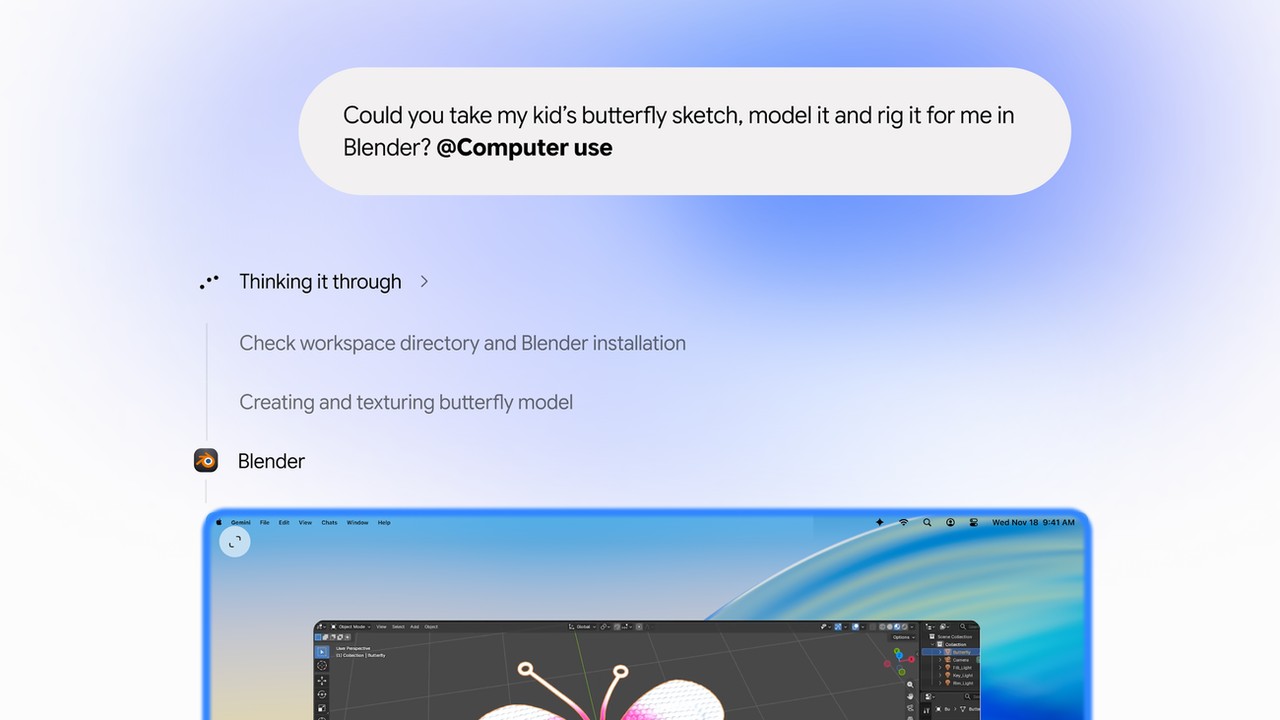
Gemini computer use on Mac runs multi-step chores in a background window. US English only, on Apple Silicon, for Google AI Plus, Pro, and Ultra.
On November 19, 2026, Michael Friedman, Group Product Manager for the Gemini app, published Let Gemini tackle repetitive chores on your Mac ↗. The page title is "Automate Mac tasks with Gemini computer use." Gemini's account on X ↗ posted the line: "Computer use is rolling out in the U.S. in English to Google AI Plus, Pro, and Ultra subscribers in the Gemini app for Mac." TechCrunch ↗ (Sarah Perez), The Verge ↗ (Jay Peters), and 9to5Google ↗ (Abner Li) covered the rollout the same day. The lead image is a Google press image (The Keyword blog, Automate Mac tasks with Gemini computer use, Nov 19, 2026), used for news reporting; credit Image: Google. We have not used computer use in the Gemini app for Mac.
Google says computer use in the Gemini app for Mac does multi-step tasks across local files, desktop apps, and the web. Gemini navigates menus, types, clicks through apps, and fills forms. It runs in what Google calls "an isolated background window with a live preview right in your chat." Your main screen and cursor stay free. You choose which apps Gemini can access, watch every step live, pause at any time, and approve key actions before they happen. Google links the download at gemini.google/mac ↗.
The examples on the blog are Google's suggestions, not results from this desk: batch color-grade photos or set up a 3D scene; pull weights, dimensions, and addresses from local PDFs into a shipping quote; turn dashboard metrics and screenshots into a Google Slides deck; and price clothing photos from a local folder for resale listings.
The blog footnote is the access list. Computer use is rolling out in English in the United States, on an Apple Silicon Mac running macOS Sequoia 15.0 or later, for personal Google accounts, age 18 and older, on Google AI Plus, Pro, or Ultra. An Intel Mac, a work or school account, and the free tier are outside that list. Google has not given a date for other countries, other languages, or Windows.
| Requirement | Google's rule |
|---|---|
| Mac | Apple Silicon, macOS 15.0+ |
| Account | Personal, age 18+ |
| Plan | AI Plus, Pro, or Ultra |
| Where | English, United States |
9to5Google ↗ says you add "@Computer use" to the prompt. In Customize, then Connectors, Li reports new "Desktop" apps, including Blender and Autodesk Fusion, beside the Git and Obsidian integrations already there. He writes that Google pauses for logins and payments, that sensitive actions need confirmation, and that you can stop the run in one click. Before this update, the Mac app's Task feature, previously called Gemini Spark, reached local files only together with Connected Apps such as Gmail or Google Calendar. The broader Tasks rollout from the same week is in our Tasks note.
Perez, at TechCrunch, calls Google "a little late to the game," because OpenAI, Anthropic, and Meta already offer agentic features in their desktop apps. She writes that Google did not say when the feature would reach other markets or platforms, and that it lands the same week as the wider Tasks rollout.
The Verge ↗ says Google is shipping this ahead of Apple's new limits on apps that want "full disk access," because of the risk from AI agents that use a computer. Peters writes that a preview of those settings rolled out with this week's macOS 27.3 beta. Separately, Reuters ↗ reported on November 18 that an Apple update this week sharply restricted developers' use of accessibility tools on Macs and added permissions aimed at agents. That report is about a path Reuters found while testing Meta's Muse, not a Google claim about Gemini.
"Google just shipped the Mac assistant I've been waiting for Apple to build." — Fazir Ali ↗ (@KingFazir)
"If Gemini can run in the background while I keep using my Mac, that's a genuine workflow change." — lei-knight ↗ (@knightleijun)
"Computer Use on Mac is great, but why not Windows?" — Nik Gob ↗ (@N1kGob)
"Finally an assistant that can file your expense report. It still can't explain the $40 taxi." — Ai Slop ↗ (@aislopgr)
Reddit was not reachable for this story.
The background window is the part that changes the work. You keep the cursor. That fits repetitive, multi-app chores: a form filled from a PDF, a batch edit, a slide deck built from a dashboard. It fits someone who already pays for Google AI Plus, Pro, or Ultra and already has an Apple Silicon Mac. It is not a reason to buy a Mac or to start a subscription. The rollout is US English, and it is personal accounts only.
Start with a narrow, reversible job. Grant apps one at a time. Leave approvals on for logins, payments, and deletes. Google says you approve key actions before they happen. 9to5Google says the app stops for logins and payments.
Other desktop agents exist. This note does not price them. ChatGPT's accounting plugins are in our ChatGPT for Accounting note. The Ultra plan question is in the YouTube Premium Family note. This week's model is Gemini 4 Neon. Antigravity is a different Google agent surface. The chat products side by side are in ChatGPT vs Claude vs Gemini. An agent that does not take over a Mac desktop is in the no-code agent builders review.
Verdict: Use it for one reversible chore if you already pay and you already have the right Mac. Do not switch computers for it. Watch for Windows, for more countries and languages, and for what Apple's agent permissions in macOS 27.3 let any Mac agent reach.