AI News · 5 min read
ChatGPT dots can now use several of your computers
OpenAI's always-on dot agent can now connect to more than one local computer and pick one per task. Here's how it works, who gets it and the caveats.
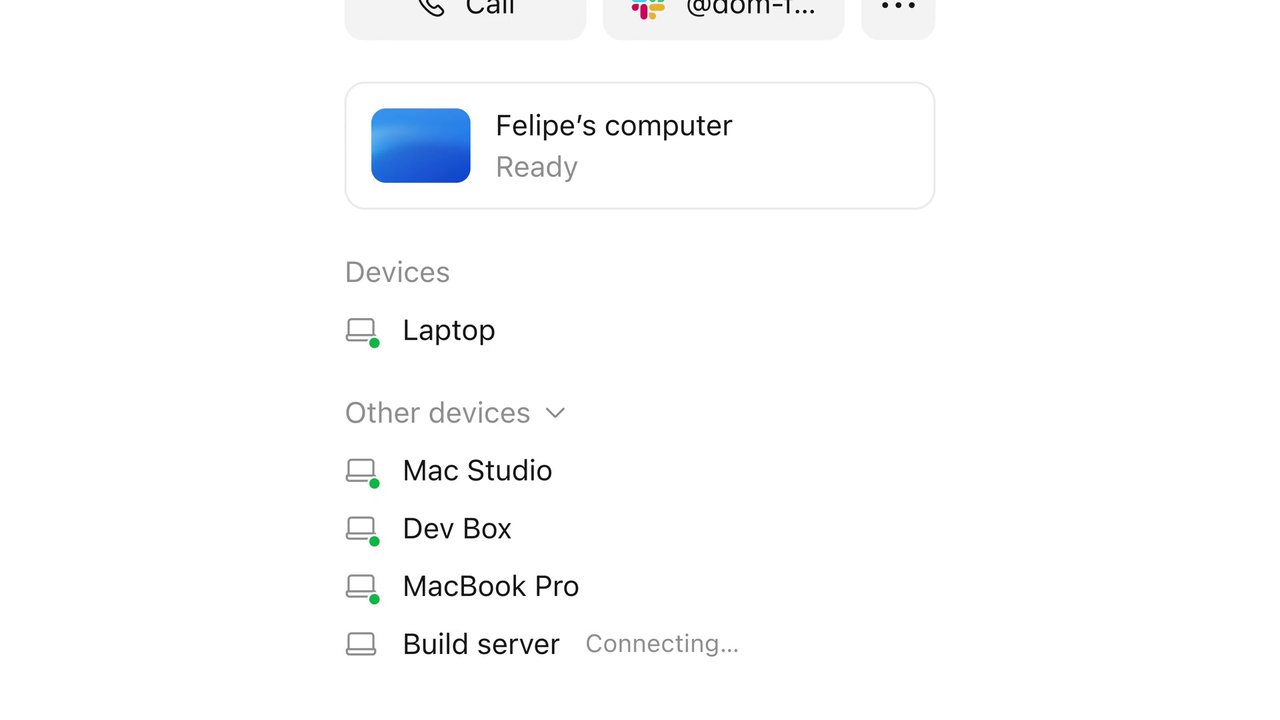
OpenAI's always-on dot agent can now connect to more than one local computer and pick one per task. Here's how it works, who gets it and the caveats.
On November 9, 2026, OpenAI said that "you can now connect multiple local computers to the same dot and choose which one it uses for a task." The announcement went out from @OpenAIDevs on X ↗ and as a pinned post on the OpenAI Developer Community ↗. OpenAI's one-line pitch: your dot "can build and test your app on a dedicated machine while you keep coding on your laptop."
Dots are OpenAI's always-on agents inside ChatGPT. Each one has its own cloud computer and browser, keeps working while your devices are off, and can be reached from ChatGPT, Slack, Teams or a phone call, according to OpenAI's Meet dots guide ↗. Until this update, a dot could use only one of your personal computers at a time. MODEL ↗ points out that OpenAI's help page said exactly that in its November 5 version, and the current page drops the line.
OpenAI's computers and apps page ↗ describes the setup. You repeat it on every machine you want to add:
Open your dot's profile in the ChatGPT app on that computer.
Under Computers, find the machine you're on and select Allow.
Confirm with Allow access.
A few rules from the same page are worth knowing before you plug in a second Mac:
One computer per thread. "Ask your dot to start a separate thread on each computer for independent tasks. Each thread uses one computer at a time." A single task doesn't get split across machines.
The machine has to be awake. Keep it online with the ChatGPT app open. An Offline status just means it's unavailable. It doesn't revoke the connection.
The cloud computer stays. Your dot's own cloud machine stays connected alongside your local ones.
It's a separate permission. Connecting a computer to Codex or turning on Work Sync doesn't give your dot access on its own. Use Revoke access to remove a machine.
OpenAI suggests three uses: testing an iOS change in Xcode on a second Mac and getting screenshots back, running the same test on your laptop and on a machine with an older SDK to reproduce a bug, and having the dot click through a UI flow on another computer "so your own screen and cursor" stay free.
Dots are still rolling out gradually. OpenAI's access section ↗ lists:
| Plan | Dot access |
|---|---|
| Pro 100, Pro 200, Pro 500 | Ages 18+, outside the EEA, UK and Switzerland |
| Business Premium | Supported regions, subject to workspace eligibility |
| Enterprise, Edu, Healthcare | Admin preview now; on by default from November 18, 2026 unless the workspace opts out |
For Pro and Business Premium, chatting with your dot doesn't count toward ChatGPT usage limits, but the Work or Codex tasks it starts count toward those products' limits as usual. ChatGPT Plus isn't on the list.
The announcement post passed 900,000 views on X within a day. Reactions split between developers who like the idea and people who want other things first.
"Dots can now control many machines in addition to its own little cloud computer that we provide by default," wrote Tibo (@thsottiaux) ↗.
"For a small business this is the real win: one machine where the agent is allowed to write and break things, and a separate one for daily work, email and client files," replied Wiize_IA ↗.
Several developers asked for better run records. "I'd want dot to tell me which machine and which commit it actually built on, otherwise matching results to code gets messy fast," wrote 鸦-KARAS- ↗.
Reliability came up too: "I believe its fundamental reliability issues need far more attention," posted Mohammad Vazin ↗, who says he uses dot for real work.
And Europe is still waiting: "personal Pro users in the EU are still locked out, and Plus users aren't even eligible," complained Zindan ↗.
We couldn't pull Reddit threads for this story, so these reactions are from X only.
This is a real upgrade for developers, not a gimmick. Moving long builds, test suites and UI clicks off the laptop you're typing on fixes a real annoyance with local agents: they take over your screen and your CPU. If you already pay for Pro and have a spare Mac or Linux box, connecting it is a quick win.
Treat each connected machine as handed to an agent. OpenAI's docs describe one Allow step per computer. We didn't find per-folder limits documented there, so connect a clean build box, not the laptop with your client files and SSH keys. Give the second machine its own checkout so the dot never touches your uncommitted work.
How it compares: Our Codex vs Claude Code comparison covers which agent is better at the coding itself. The dot's difference is the coordinator layer on top: one agent that sends work to the right machine and reports back in Slack or ChatGPT. Perplexity is chasing the same idea with Teammates on its Max plan, and Moonshot sells hosted agents by the hour with Kimi Hosted Agents. If you're building your own version instead, start with our agent framework comparison.
Skip it for now if you're on Plus, you're in the EU or UK, or you don't have a second machine you trust an agent with. You aren't missing anything for one-off coding jobs: Codex on ChatGPT Pro handles those on its own.