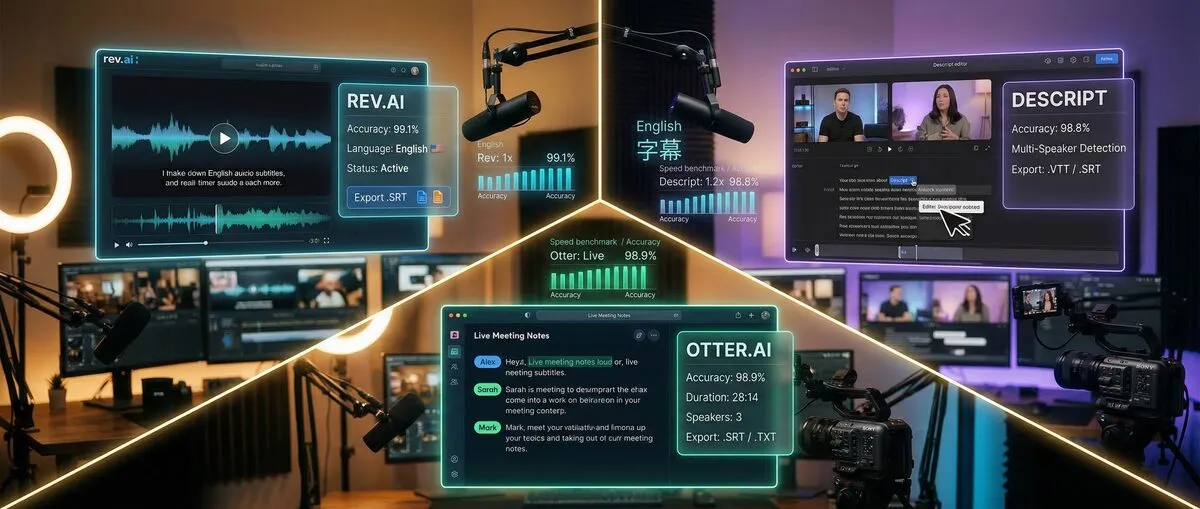
AI subtitle generators process video and audio files to create text captions automatically. Many free tools now build on OpenAI's open-source Whisper speech recognition model, while paid services such as Rev, Descript, and Otter.ai offer limited free tiers.
YouTube Studio generates automatic captions for free in 67 languages. Subtitle Edit paired with Whisper transcribes audio offline on your own computer. CapCut offers free auto captions for social media creators.
What changed in the 2026 AI subtitle generator landscape?
Free options keep improving, while the big paid services limit what their free tiers include. As of September 2026, Rev's free plan includes 45 AI transcription and caption minutes a month, Descript's free plan includes 60 media minutes a month, and Otter.ai's free plan includes 300 transcription minutes a month.
YouTube Studio generates automatic captions on long-form videos and Shorts at no cost. CapCut offers free auto captions for TikTok and Instagram creators. Microsoft's Clipchamp editor is free with a personal Microsoft account.
Maestra offers a subtitle generator you can try without an account, supporting 125+ languages by its own count; you need to sign up to download the result.
OpenAI's Whisper model is widely used in free subtitle tools. It was trained on 680,000 hours of multilingual audio, and OpenAI notes that its performance varies widely by language. Subtitle Edit's Whisper integration processes audio locally, so files stay on your computer.
Browser-based tools such as VEED.io combine AI captioning with video editing and styling options.
TikTok and YouTube Shorts created demand for specialized subtitle tools. CapCut offers template-based captions for vertical video. Reap focuses on short-form, viral-style subtitles.
These tools prioritize speed and visual styling, so check transcripts before publishing. Traditional long-form tools like Descript focus on transcript-based editing of longer recordings.
How do Rev, Descript, and Otter.ai compare for subtitle generation?
Rev now focuses on legal and investigative workflows with a small free AI tier, Descript targets transcript-based video and podcast editing with a limited free plan, and Otter.ai prioritizes meeting transcription over video subtitles.
What each free plan includes, as of September 2026:
Rev: Free plan with 45 AI transcription and caption minutes per month, English only; Rev states its paid human transcription is 99%+ accurate
Descript: Free plan with 60 media minutes per month and transcription in 25 languages; watermark-free export starts on paid plans
Otter.ai: Free Basic plan with 300 monthly transcription minutes and 3 lifetime file imports
Free alternatives cover more volume:
Subtitle Edit + Whisper: Free, offline, no minute limits
YouTube Studio: Free automatic captions for your own uploads
Maestra: Free trial without an account; sign-up needed to download
Rev's paid Essentials plan costs $29.99 per seat per month, or $25.49 billed annually (Rev pricing ↗ as of September 2026). Rev also offers a separate speech-to-text API for developers.
Descript provides transcript-based editing on all plans. Its Hobbyist plan costs $16/month billed annually ($24 monthly) and adds 10 media hours a month and watermark-free 1080p export (Descript pricing ↗ as of September 2026).
Otter.ai is built for meeting transcription, with 300 free minutes monthly. Otter Pro costs $16.99/month, or $8.49/month billed annually (Otter pricing ↗ as of September 2026). Video subtitle workflows usually need a dedicated subtitle tool on top.
| Platform | Free SRT Export | Free VTT Export | Offline Use | Multi-Speaker ID |
|---|
| Rev | Not verified | Not verified | No | Yes |
| Descript | Not verified | Not verified | No | Yes |
| Otter.ai | Not verified | Not verified | No | Yes |
| YouTube Studio | Own videos | Own videos | No | Basic |
| Subtitle Edit | Yes | Yes | Yes | Manual |
Rev suits legal teams, and its API suits developers building transcription features.
Descript is built for podcast and video editing workflows where transcript-based editing speeds up production. Video creators who only need subtitles may prefer subtitle-specific tools.
Otter.ai is designed for meeting documentation and interview transcription. Content creators interviewing guests can use speaker identification, then export to dedicated subtitle tools.
YouTube Studio, Subtitle Edit + Whisper, CapCut, Maestra, and VEED.io offer free ways to create subtitles. Each tool suits different scenarios and has different free-plan limits.
What makes YouTube Studio a strong native subtitle option?
YouTube Studio's built-in subtitle generator creates automatic captions in 67 languages ↗ at no cost. Processing time depends on the complexity of the audio.
Upload your video and YouTube generates captions automatically. YouTube itself advises creators to review automatic captions, because accents, dialects, background noise, and overlapping speakers can cause errors. Captions publish directly on YouTube, so there is no export and upload cycle.
Limitations include YouTube-only processing, basic editing features, and English-only automatic captions for live streams.
How does Subtitle Edit + Whisper work offline?
This open-source combination runs transcription entirely on your own computer. Subtitle Edit provides subtitle editing tools while Whisper handles transcription.
Download Subtitle Edit ↗ (free, open source, now cross-platform for Windows, macOS, and Linux), open its Speech to Text feature, choose a Whisper engine and model, then process audio files locally with no cloud dependency.
Benefits include support for many languages, offline processing for privacy, timeline editing with precise timing, and support for all major export formats (SRT, VTT, ASS, SSA). Accuracy depends on the Whisper model size, the language, and audio quality.
ByteDance's CapCut grew beyond TikTok editing into a full video editor with auto captions.
Template-based captions suit mobile viewing. Multi-language caption support includes translation. Direct export works for TikTok, Instagram, and YouTube.
CapCut's auto caption generator is free to start with no credit card required. Pro features and subtitle file export terms were not verified for this update.
What makes Maestra unique with 125+ languages?
Maestra lets you try its subtitle generator without an account. Upload your video, select languages, and preview subtitles; you need to sign up to export the file.
Maestra states it supports 125+ languages. Real-time translation works between language pairs. Paid plans start with pay-as-you-go credits ($12 for 60 credits as of September 2026).
Maestra's marketing makes accuracy claims, but no independent benchmark was found, so review its transcripts before publishing, especially for accented speech and technical terminology.
How does VEED.io combine subtitle generation with video editing?
VEED.io combines subtitle generation with video editing in a browser interface.
AI subtitle generation includes manual editing tools, visual customization (fonts, colors, positioning), translation into other languages, and stock media libraries.
VEED's free plan has limits on processing and export, and paid plans remove them. Check VEED's pricing page for current limits, since they change often.
How is AI subtitle generator accuracy measured in real-world conditions?
Accuracy is usually measured as word error rate (WER): the share of words a tool gets wrong compared with a human-verified transcript. This article did not run its own accuracy tests. Published results, such as those for Whisper, show accuracy varies by language, audio quality, and speaker.
A fair test uses diverse audio samples:
Clear podcast audio (single speaker)
Noisy café environment recording
Multi-speaker interview with overlapping speech
Accented English (British, Australian, Indian variants)
Technical presentation with industry jargon
Each sample is processed through every tool, with results compared against human-verified transcripts. Word accuracy and timing precision are measured.
Useful scoring criteria include word-level accuracy, timing synchronization, proper noun recognition, speaker identification quality, and background noise handling.
Clean, single-speaker audio gives every tool its best results.
Background noise, wind, and traffic reduce accuracy for all tools, and browser tools tuned for speed can struggle more.
Non-native speakers and strong accents are a known weak spot. YouTube lists accents and dialects as a common cause of caption errors.
Overlapping speakers are hard for most tools. Descript and Otter.ai offer speaker identification, while free tools such as Subtitle Edit rely on manual speaker labels.
Which free AI subtitle generators have no hidden limitations?
YouTube Studio and Subtitle Edit + Whisper offer subtitle generation without watermarks, minute caps, or forced upgrades for their core functionality. Most browser tools have free-plan limits.
Genuinely unlimited free subtitle generation exists but remains rarer than marketing suggests:
No minute caps:
YouTube Studio (for YouTube content only)
Subtitle Edit + Whisper (offline processing)
Kdenlive (open-source video editor with Whisper or VOSK speech-to-text)
Free with conditions:
Maestra (free trial, sign-up to download)
Clipchamp (free with a personal Microsoft account; premium features with Microsoft 365)
CapCut (free auto captions, Pro features locked)
Watermark rules vary across platforms. YouTube Studio, Subtitle Edit + Whisper, and Kdenlive do not add watermarks. Descript's watermark-free export starts on the paid Hobbyist plan, and other browser editors such as VEED.io and Kapwing have their own free-plan export limits.
| Tool | SRT Export | VTT Export | Other Formats | Free Limitations |
|---|
| YouTube Studio | Own videos | Own videos | None | YouTube-only |
| Subtitle Edit | Yes | Yes | ASS, SSA, SUB | None |
| Maestra | After sign-up | After sign-up | TXT | Trial limits |
| CapCut | Not verified | Not verified | None | Pro features locked |
| VEED.io | Not verified | Not verified | None | Free-plan limits |
| Clipchamp | Not verified | Not verified | None | Microsoft account required |
Check export formats before you commit to a tool if you need subtitles across multiple platforms.
Hidden limitations to watch for include processing time limits for free users, priority queuing for paid subscribers, timeouts on longer videos, reduced language support, limited customization options, automatic deletion of old projects, limited cloud storage for video files, no revision history, soft limits on "unlimited" tools, and forced upgrades after a threshold.
What's the single best free AI subtitle generator for most creators?
YouTube Studio is the simplest free choice for YouTube-focused creators, while Subtitle Edit + Whisper suits creators who publish on several platforms or want offline processing.
YouTube Studio fits creators primarily publishing on YouTube. Free automatic captions in 67 languages and a zero-friction workflow make it the obvious starting point.
No additional software installation required. Automatic synchronization with video content. Direct publishing without export/import cycles.
Choose alternatives when publishing primarily on other platforms, requiring offline processing for privacy, needing more editing control, or working with challenging audio conditions.
Subtitle Edit + Whisper fits creators who want control and privacy over convenience. It costs nothing and runs on your own hardware, which justifies the extra setup.
Initial configuration takes some technical comfort. Larger Whisper models need more powerful hardware. The workflow is manual, without cloud automation.
Long-term benefits include no ongoing subscription costs, complete privacy control, no minute caps, and professional editing capabilities included.
Maestra suits new creators who want to try captions before signing up, with a straightforward interface. Its 125+ language support gives room for international growth.
Try before registering. Simple upload-and-download workflow once signed up. Broad language support from day one. No software installation requirements.
Advanced creators often combine multiple tools: YouTube Studio for YouTube content, Subtitle Edit + Whisper for challenging audio, CapCut for short-form content, and Maestra for international versions.
Many creators get good results with free tools. Paid upgrades make sense when you process many hours of content each week, need team collaboration, want advanced styling and branding, or need guaranteed human-verified accuracy.
Free tools cost nothing but usually take more editing time. Paid tools cost money but can save editing time. The break-even point is when the value of the time saved exceeds the subscription cost.
Frequently Asked Questions
Which AI subtitle generator is completely free with no watermarks in 2026?
YouTube Studio and Subtitle Edit + Whisper offer free subtitling without watermarks or minute caps. YouTube Studio works best for native platform use, while Subtitle Edit + Whisper runs offline and exports standard subtitle files.
How accurate are free AI subtitle generators compared to paid options?
It depends on the audio. Whisper-based tools can be very accurate on clear speech, but OpenAI notes Whisper's performance varies widely by language. Rev states its paid human transcription is 99%+ accurate. Always review AI captions before publishing.
Can I export SRT files from free AI subtitle generators?
Subtitle Edit + Whisper exports SRT, VTT, and other formats for free. YouTube Studio handles captions for your own videos, and Maestra lets you export after signing up. Check each tool's free-plan export options before you start.
What's the best free AI subtitle generator for podcasters in 2026?
Subtitle Edit + Whisper is a strong free option for podcast audio, while Otter.ai's free plan (300 minutes a month as of September 2026) provides speaker identification for interviews. YouTube Studio works well for video podcasts uploaded to YouTube.
Do Rev, Descript, or Otter.ai offer good free subtitle options?
These tools have limited free tiers. As of September 2026, Rev's free plan includes 45 AI minutes a month (English only), Descript's free plan includes 60 media minutes a month, and Otter.ai's free plan includes 300 transcription minutes a month but focuses on meetings rather than video subtitles.
Maestra states it supports 125+ languages, and YouTube Studio's automatic captions cover 67 languages. Whisper-based tools such as Subtitle Edit also cover many languages, with accuracy that varies by language.
Sources