Tutorials · 5 min read
Fine-Tuning LLM Guide 2026: Step-by-Step Tutorial
A step-by-step guide to fine-tuning LLMs in 2026, covering which vendors offer fine-tuning, LoRA and QLoRA on open-weight models, and managed tuning on Vertex AI and Mistral.
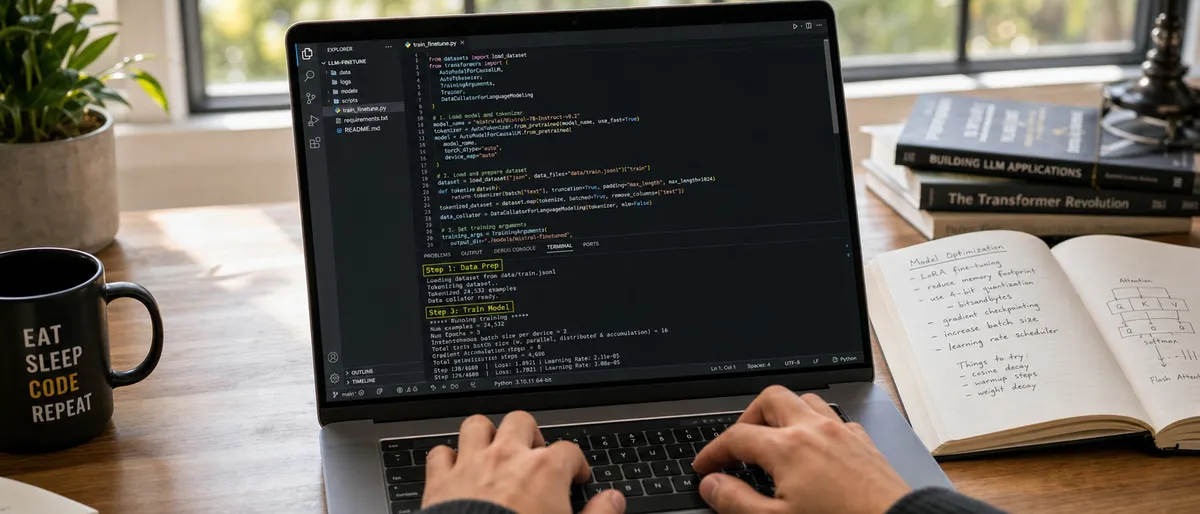
A step-by-step guide to fine-tuning LLMs in 2026, covering which vendors offer fine-tuning, LoRA and QLoRA on open-weight models, and managed tuning on Vertex AI and Mistral.
Fine-tuning in 2026 mostly happens in two places: on open-weight models you train yourself with methods such as LoRA and QLoRA, and through managed tuning services such as Google's Vertex AI. Many flagship API models, including GPT-5.5 Pro, do not support fine-tuning at all, according to OpenAI's model page ↗ (as of September 2026).
| Fact | Value | Source | Checked on |
|---|---|---|---|
| GPT-5.5 Pro fine-tuning | Not supported | GPT-5.5 Pro model page ↗ | 2026-09-24 |
| OpenAI fine-tuning platform | Winding down; no longer accessible to new users | Model optimization guide ↗ | 2026-09-24 |
| Mistral managed fine-tuning | Supervised fine-tuning for text and vision | Mistral fine-tuning docs ↗ | 2026-09-24 |
| Gemini on Vertex AI | Supervised fine-tuning offered for listed Gemini models | Vertex AI supervised tuning ↗ | 2026-09-24 |
| LoRA, versus full fine-tuning of GPT-3 175B | 10,000 times fewer trainable parameters, 3 times less GPU memory | LoRA paper ↗ | 2026-09-24 |
| QLoRA | Fine-tunes a 65B model on a single 48GB GPU at full 16-bit task performance | QLoRA paper ↗ | 2026-09-24 |
Updated 2026-09-24: added Key facts, question headings with direct answers, and an FAQ built from the questions Google shows for this topic.
Fine-tuning changes a model's weights so it follows a specific format, style or domain more reliably than prompting alone. Teams use it for domain-specific coding, multilingual output and consistent structured output when prompting reaches its limits. As of September 2026 only some frontier models can be tuned, so the vendor's policy decides the model.
Coding agents such as OpenAI Codex CLI, Claude Code and Gemini CLI do not fine-tune models. They can help you write, run and debug training and evaluation scripts, but the training itself runs through a provider's tuning API or a training library. xAI's docs list a grok-build model but no fine-tuning service. There is no separate "Fable editor"; Claude Fable 5 is a legacy Claude model listed in Anthropic's docs.
As of September 2026, vendor documentation shows a mixed picture. Google's Vertex AI lists supervised fine-tuning for Gemini models including Gemini 3.1 Pro. Mistral offers supervised fine-tuning for text and vision through its API. OpenAI is winding down its fine-tuning platform and no longer accepts new users. Anthropic's docs for Claude Opus 4.8, Claude Sonnet 4.6 and current Claude models do not offer a fine-tuning API. xAI's model docs for Grok 4.3 and Grok 4.20, DeepSeek's API docs for DeepSeek V4 Pro, and MiniMax's site for MiniMax M3 do not document a fine-tuning service.
Pricing for tuning services changes often; check each provider's official pricing page before starting a job.
Prompting alone is limited to what the pre-trained weights already do. Fine-tuning updates weights on custom datasets to improve consistency on specific tasks such as output format, tone, or domain vocabulary. Parameter-efficient methods make this affordable: the LoRA paper ↗ reports cutting trainable parameters by 10,000 times and GPU memory by 3 times compared with full fine-tuning of GPT-3 175B. The QLoRA paper ↗ reports fine-tuning a 65B-parameter model on a single 48GB GPU while preserving 16-bit fine-tuning task performance.
Teams fine-tune models for repository-specific code conventions, structured JSON output, domain terminology in fields such as law or medicine, and output in lower-resource languages. Multimodal tuning on Vertex AI covers image, document, audio and video inputs for Gemini models. Open-weight models can be trained entirely on your own hardware, which keeps training data in-house.
Selection starts with whether the vendor allows fine-tuning at all. As of September 2026, open-weight models and Gemini on Vertex AI are the most practical routes, Mistral offers a managed service, and GPT-5.5 Pro, Claude and Grok models do not offer public fine-tuning.
| Model / family | Fine-tuning route | Status (as of September 2026) | Notes |
|---|---|---|---|
| GPT-5.5 Pro | None | Not supported (OpenAI model page) | Use prompting, tools or retrieval instead |
| Older OpenAI models (GPT-4.1 family) | OpenAI fine-tuning API | Winding down; closed to new users | Existing users only |
| Claude Opus 4.8 / Sonnet 4.6 | None in Anthropic's API docs | Not offered | Use prompting and tool use |
| Gemini 3.1 Pro | Vertex AI supervised tuning | Listed in Vertex AI docs (model in preview) | Text, document, image, audio, video tuning |
| Grok 4.3 / Grok 4.20 | None documented | Not documented by xAI | API access only |
| Mistral models | Mistral fine-tuning API | Supervised fine-tuning for text and vision | Managed service |
| DeepSeek V4 Pro | None in DeepSeek API docs | Not documented | API access only |
| MiniMax M3 | None documented | Not documented | API access only |
| Open-weight models (e.g. Gemma 4) | LoRA / QLoRA with TRL, PEFT or Unsloth | Available | Full control; needs your own GPU |
Cursor, Aider, Windsurf, Cline, GitHub Copilot, Claude Code and Codex CLI are coding assistants, not fine-tuning platforms. They can help write data-preparation scripts, training configs and evaluation harnesses. The training step itself runs through a provider's tuning API or a library such as Hugging Face TRL. All of these tools need their own accounts or API keys.
Managed tuning runs through provider APIs and SDKs, such as Vertex AI tuning jobs or Mistral's fine-tuning API. Local tuning runs through Python libraries such as TRL, PEFT and Unsloth. Coding CLIs reduce context switching while you write these scripts, but they do not replace the tuning API.
The workflow has four phases: environment setup, data preparation, training, and evaluation. It applies both to open-weight models trained locally with LoRA or QLoRA and to managed services such as Vertex AI and Mistral. Expect most of the effort to go into the dataset, since data quality matters more than volume.
Choose a route: an open-weight model trained on your own GPU, or a managed tuning service that supports your model.
Prepare datasets in JSONL format with conversation-style examples.
Execute training through the provider's tuning endpoint or a local training script.
Run evaluation on held-out sets and iterate.
For local training, install Python, PyTorch, Hugging Face Transformers, TRL ↗ and PEFT, plus bitsandbytes for QLoRA, or use Unsloth. For managed tuning, set up a Google Cloud project with Vertex AI or a Mistral API key. A coding assistant such as Claude Code, Codex CLI or Aider is optional and helps with scripting.
Format examples with system, user, and assistant fields. Validate token counts against the model's context limit. Remove duplicates and low-quality examples, since data quality matters more than volume. Split data into training and evaluation sets, for example 80/20.
For local training, run TRL's SFTTrainer with a LoRA or QLoRA configuration from PEFT. For managed tuning, submit a supervised tuning job on Vertex AI or a fine-tuning job through Mistral's API. Monitor training and validation loss to catch overfitting.
Measure accuracy on held-out sets and compare against the base model with the same prompts. Adjust hyperparameters such as learning rate, epochs and LoRA rank, then retrain. Keep datasets and configs under version control so runs are reproducible.
Open-weight models with LoRA or QLoRA give the most control and work for coding, multilingual and domain tasks. Gemini on Vertex AI suits teams that want a managed service with multimodal tuning. Mistral's fine-tuning API is another managed option. Closed models without a tuning API are better served by prompting, tools and retrieval.
Fine-tune an open-weight code-capable model with LoRA on your repository's conventions using TRL or Unsloth. Use Gemini supervised tuning on Vertex AI if you prefer a managed service. Coding agents such as Claude Code, Codex CLI and Aider help write the data pipeline and evaluation scripts. For models without fine-tuning, such as GPT-5.5 Pro, use system prompts, examples and tool definitions instead.
Vertex AI supervised tuning supports text, document, image, audio and video tuning for Gemini models. Mistral's fine-tuning covers text and vision. Open-weight models can be tuned on multilingual data locally. Teams with data-residency requirements can train open-weight models on their own infrastructure or choose a provider region that meets their rules.
Yes, but only some. Open-weight models such as Gemma 4 can be fine-tuned on your own GPU with LoRA or QLoRA. Managed services cover Gemini on Vertex AI and Mistral's API. GPT-5.5 Pro, current Claude models and Grok models do not offer public fine-tuning as of September 2026, so those are customized by prompting and tools.
Choose a route first: an open-weight model on your own GPU, or a managed service that supports your model. Then prepare JSONL examples with system, user and assistant fields, split them into training and evaluation sets, run training with TRL's SFTTrainer or the provider's tuning job, and evaluate against the base model on held-out prompts.
There is no single figure, and provider prices change often, so check the official Vertex AI and Mistral pricing pages before a job. For local training the cost is GPU time. Parameter-efficient methods keep that low: the QLoRA paper reports fine-tuning a 65B model on a single 48GB GPU while preserving 16-bit task performance.
As of September 2026, the practical options are open-weight models tuned with LoRA or QLoRA, or Gemini models through Vertex AI supervised tuning. GPT-5.5 Pro does not support fine-tuning.
No. Anthropic's API docs do not offer fine-tuning for Claude Opus 4.8, and Claude Code is a coding agent, not a training tool. Claude models are customized through prompting and tool use.
Tuning prices vary by provider and change often. Check the official pricing pages for Vertex AI and Mistral, or the cost of your own GPU time for local training.
Fine-tuning jobs run through provider SDKs and APIs (Vertex AI, Mistral) or libraries such as TRL and Unsloth. Coding CLIs such as Gemini CLI, Codex CLI, Claude Code and Aider can help write and run those scripts.
Alibaba's Model Studio lists qwen3.7-plus and qwen3.8-max, but not a "Qwen3.7 Max", as of September 2026. For Qwen, the common route is fine-tuning open-weight Qwen models with LoRA.

A step-by-step guide to installing and running Stable Diffusion 3.5, SDXL and SD 1.5 locally. It covers interfaces, hardware, prompting, model choices and licensing.

An overview of Suno as of September 2026, covering the v6 models, plan pricing, download limits and commercial rights. It also compares Suno with Udio, AIVA, Soundraw and other AI music tools.
An overview of Devin, Cognition's autonomous AI software engineer: its self-reported March 2024 SWE-bench result, pricing as of September 2026, and known limitations from independent reports.
Join builders getting source-cited AI tool analysis. Never sponsored, always attributed.
Source-cited reviews and comparisons of AI tools, published by Rai Ansar.