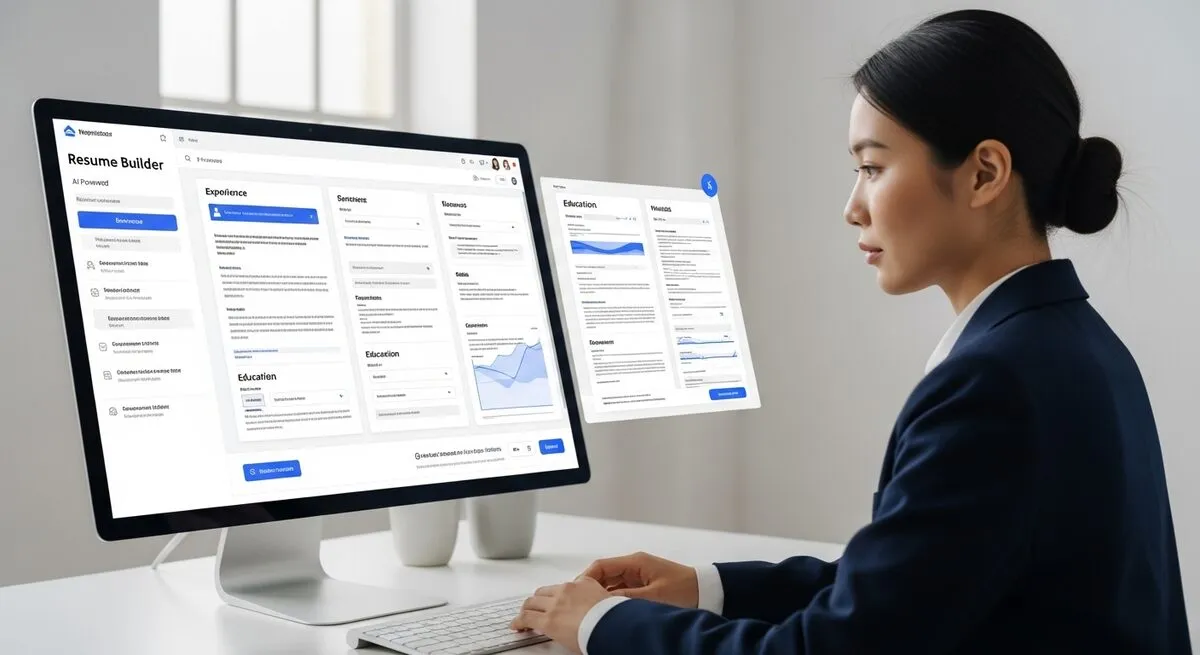
Free AI resume builders help users draft resume content, format it for applicant tracking systems (ATS), and export it. Several let you start building without an account, but most ask for an account, an email address, or a paid plan before you can download a PDF or Word file (as of September 2026).
What are the best free AI resume builders that don't require sign-up?
No major AI resume builder in this list offers full, free PDF downloads with no account at all. ResumeGiants and ResumeBuilder.com let you download a TXT file on their free plans and charge for PDF and Word. Novoresume and Kickresume have free plans that need an account. Canva generally asks you to sign in to a free account before downloading. Zety and Resume-Now pricing could not be verified for this update.
1. ResumeGiants - AI-Powered Content Suggestions
ResumeGiants offers a resume builder with AI-powered suggestions on its premium plan. Users fill in resume sections and can use AI to draft and improve bullet points.
Features:
Basic plan with a selection of templates
Basic customization options
TXT download on the basic plan
PDF and Word downloads, all templates, and no watermarks on Premium
AI-powered suggestions on Premium
Download requirement: Per ResumeGiants' pricing page ↗, PDF and Word downloads need the Premium plan, which starts with a short trial and then auto-renews (as of September 2026).
2. Resume-Now - Quick Resume Creation
Resume-Now offers a guided builder with pre-written phrases and one-click bullet point suggestions, designed to work on phones as well as desktops.
Features:
Guided, step-by-step builder
Mobile-responsive interface
Pre-written phrase database
Role-specific bullet point suggestions
Download terms and pricing not verified for this update
Best for: Last-minute applications and entry-level positions
3. Zety - Professional Templates
Zety provides professional resume templates with real-time content suggestions and industry-specific recommendations during the creation process. Its site could not be reached for this update, so check current download terms before you start.
Features:
Professional templates
Context-aware content suggestions
Real-time editing preview
Download terms and pricing not verified for this update
4. Canva Resume Builder - Visual Design Focus
Canva offers a large library of resume templates with drag-and-drop editing and AI text tools. Canva generally asks you to sign in to a free account to edit and download designs.
Features:
Large library of free resume templates
Drag-and-drop editor
AI writing tools
Free download for free templates and elements
Visual customization tools
Ideal for: Creative professionals, marketing roles, and design positions
ResumeBuilder.com lets you build a resume and download it as TXT for free. The platform includes a ResumeCheck resume review and a cover letter generator.
Features:
Free Core Access plan
Unlimited TXT downloads on the free plan
ResumeCheck resume review
Cover letter generator
Word and PDF downloads with 14-day access at $1.95, which auto-renews at $25.95 every four weeks (pricing as of September 2026 ↗)
6. Novoresume - Free One-Page Resume
Novoresume's free Basic plan lets you create a single one-page resume with predefined layouts. Documents are saved as PDF. You need to register for an account.
Features:
Free Basic plan: one version, one page
Predefined layouts, 3 fonts, 30 color themes
PDF downloads
Premium from $21.99/month, with no recurring billing
Premium adds multiple versions, custom layouts, and no branding
7. Kickresume - AI Writer on Premium
Kickresume offers an AI Writer on paid plans and a free plan with basic templates. You need to sign up for an account.
Features:
Free plan with 4 basic resume templates and unlimited downloads
AI Writer and ATS Resume Checker on Premium
40+ premium templates
Cover letter builder
Premium from $19/month, or $54/year billed annually (pricing as of September 2026 ↗)
How do these AI resume builders compare on free access?
As of September 2026, the free options split into two groups: tools that let you download TXT without paying (ResumeGiants, ResumeBuilder.com) and tools with a free account that includes a formatted download (Novoresume, Kickresume, Canva). This article did not time or score the builders; the table covers published plan terms only.
| Resume Builder | Account Needed | Free Download | Paid Plan (Sept 2026) |
|---|
| ResumeGiants | For Premium | TXT | Trial, then auto-renewing Premium |
| Resume-Now | Not verified | Not verified | Not verified |
| Zety | Not verified | Not verified | Not verified |
| Canva | Yes (free account) | Yes, free templates | Canva Pro for premium elements |
| ResumeBuilder.com | For paid access | TXT | $1.95 for 14 days, then $25.95 every 4 weeks |
| Novoresume | Yes | One-page PDF | From $21.99/month |
| Kickresume | Yes | Yes, 4 basic templates | From $19/month or $54/year |
How can you maximize AI resume builder effectiveness?
Prepare job descriptions, accomplishments with metrics, and organized skill lists before starting. Let AI help with structure and phrasing, then add your own specific achievements, numbers, and projects. Keep a plain-text version for online forms, a PDF for human readers, and an editable file for future updates.
Collect these elements before using any AI resume builder:
3-5 recent job descriptions for target roles
Quantified accomplishments with specific numbers
Skills organized by relevance to target position
Contact information in standard format
AI Content Strategy
A practical split:
AI handles most of the structure, phrasing, and keyword matching
You supply the specifics: achievements, metrics, and unique projects
Review everything before you submit it
Download Requirements
Keep multiple formats where your builder allows it:
TXT files for pasting into online application forms
PDF files for human recruiters
DOCX files for future modifications
What common mistakes should you avoid?
Avoid over-relying on AI suggestions without fact-checking, ignoring industry-specific format requirements, and missing personal branding elements. AI-generated content requires verification for accuracy, industry standards vary by field, and human touches like specific company names and quantified achievements improve authenticity.
AI Over-Reliance
AI systems generate generic content without knowing actual experience. Users must verify all claims and achievements match their real background before submission.
Different industries expect specific resume formats:
Banking requires conservative layouts
Creative fields accept visual designs
Tech roles emphasize skills sections
Healthcare needs certification highlights
Missing Personal Elements
Add these human touches after AI generation:
Personal branding statements
Specific company names and projects
Quantified achievements unique to your experience
Industry-specific terminology
Which builder should you choose for specific situations?
Choose ResumeBuilder.com or ResumeGiants if a free TXT download is enough, Novoresume for a free one-page PDF, Kickresume for a free account with several downloads, and Canva for creative industries.
Free plain-text resume: ResumeBuilder.com or ResumeGiants
Free one-page PDF: Novoresume
Creative industries: Canva
Several free downloads: Kickresume
AI writing help: Kickresume Premium or ResumeGiants Premium
Budget constraints: Novoresume Basic or Kickresume Free
Use AI to identify keywords from job descriptions, then write the context around those terms yourself. Keep two versions: one plain and ATS-friendly and one design-focused. Check resumes with an ATS checker before submission.
Keyword Integration
AI tools identify relevant keywords from job postings. Writing the surrounding context yourself keeps the resume accurate and specific to your experience.
Timing Strategy
There is no reliable public evidence for a best day or hour to apply:
Apply soon after a posting goes live when you can
Follow each employer's stated application instructions
Track where and when you applied
Version Control
Maintain two resume versions:
ATS-friendly version with relevant keywords
Design-focused version for human recruiters
Use appropriate version based on application method
FAQ
Q: Do these resume builders actually work without any sign-up?
A: Only partly. As of September 2026, ResumeGiants and ResumeBuilder.com let you download a TXT resume on their free plans, but PDF and Word files need a paid plan. Novoresume, Kickresume, and Canva offer free downloads but require an account.
Q: How accurate is AI-generated resume content?
A: AI provides structure and phrasing suggestions but requires human verification. Check every claim, date, and number against your real experience before you submit.
Q: Which format should I download for job applications?
A: Use TXT for pasting into online application forms, PDF for email submissions (human readers), and DOCX for future editing. Several builders offer TXT free.
Q: Can I create multiple resumes without limits?
A: It depends on the plan. Novoresume's free plan allows a single one-page version, Kickresume's free plan has unlimited downloads with 4 basic templates, and ResumeBuilder.com's free plan allows unlimited TXT downloads.
Q: How long do these free trials last?
A: ResumeBuilder.com's paid access starts with 14 days for $1.95 and then auto-renews at $25.95 every four weeks unless you cancel (as of September 2026). Read the renewal terms on any trial before entering card details.
Sources