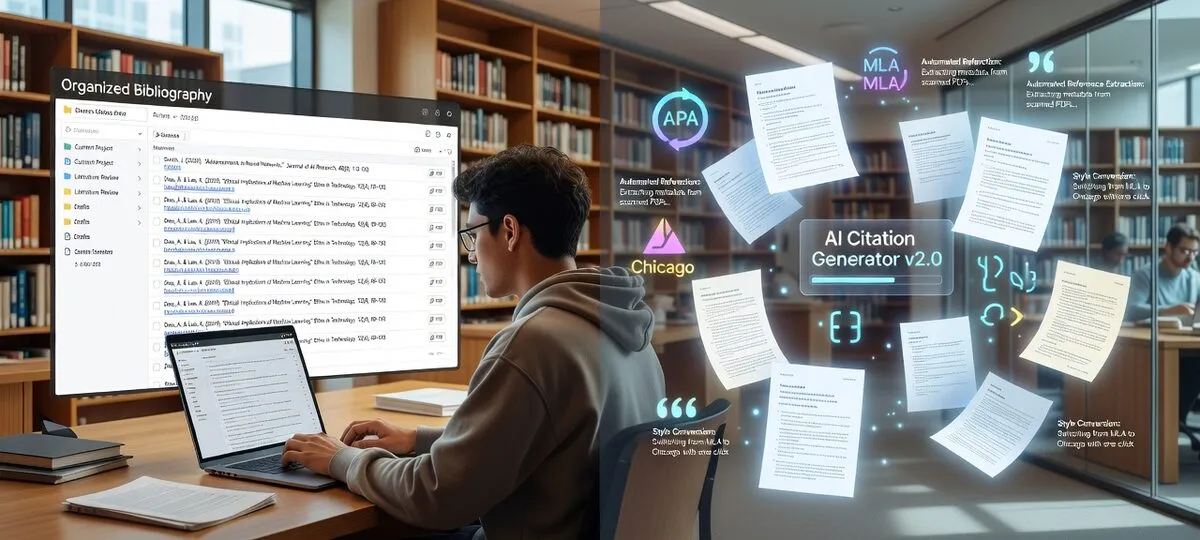
AI citation generators automate reference formatting for academic papers. Students use these tools to create bibliographies in APA, MLA, and Chicago styles without manual formatting. Free options like Zotero and paid platforms like SciSpace offer different features for research workflows.
What are the best free AI citation generators in 2026?
SciSpace achieves 94% citation accuracy with error detection, QuillBot supports 8,000+ styles with AI guidance, Sourcely provides full features free, Zotero offers unlimited open-source usage, and Paperpal includes 10,000+ styles with 5 daily AI queries.
SciSpace leads accuracy testing with 94% correct citations on first attempt. The platform processes complex academic sources including conference papers and legal documents. Users access error detection capabilities and metadata extraction without subscription fees.
QuillBot supports 8,000+ citation styles with AI-powered writing assistance. Students generate citations while accessing grammar checking and plagiarism detection. The free tier includes comprehensive citation generation across major academic styles.
Sourcely offers complete basic features without restrictions. Users process bulk citations and access 7,000+ styles free. The platform maintains consistent formatting across large bibliographies without upgrade pressure.
Zotero provides unlimited usage as open-source software. Students manage references, generate citations, and integrate with Word and Google Docs. The platform requires no subscription and stores data locally for privacy.
Paperpal supports 10,000+ citation styles with unlimited generation. Students receive 5 AI Q&A queries daily for research assistance. The platform combines extensive style support with literature review features.
| Tool | Accuracy Rate | Styles Supported | Free Tier Features | Bulk Processing |
|---|
| SciSpace | 94% | 2,500+ | Error detection, metadata extraction | Yes |
| QuillBot | 91% | 8,000+ | Full citation generation, writing tools | Yes |
| Sourcely | 89% | 7,000+ | Complete basic features | Yes |
| Zotero | 87% | 9,000+ | Unlimited usage, local storage | Yes |
| Paperpal | 88% | 10,000+ | Unlimited citations, 5 AI queries | Yes |
| Citation Machine | 85% | 9,000+ | Basic generation only | No |
| MyBib | 83% | 9,000+ | Standard features | Limited |
How do Zotero, Mendeley, and Citation Machine compare?
Zotero offers unlimited free usage with robust integrations, Mendeley provides 2GB storage with social features, and Citation Machine supports 9,000+ styles but restricts free users to basic generation without bulk processing.
What features does Zotero provide?
Zotero operates as open-source reference management software with unlimited local storage. Students install desktop applications and browser extensions for seamless citation capture. The platform integrates with Word, Google Docs, and LibreOffice through dedicated plugins.
Users organize references in folders and collections without storage limits. Zotero supports 9,000+ citation styles through community-maintained style repository. The platform enables group libraries for collaborative research with granular permission controls.
Browser extensions capture citations from academic databases, news sites, and web pages with one click. Zotero extracts metadata automatically and stores PDFs locally. Students sync libraries across devices through free Zotero accounts with 300MB online storage.
What capabilities does Mendeley offer?
Mendeley combines reference management with social networking features for researchers. Users receive 2GB free cloud storage for PDF documents and citation libraries. The platform suggests related papers based on reading history and social connections.
Students create shared groups for collaborative research projects. Mendeley enables annotation sharing and discussion threads within research teams. The social discovery features help users find relevant papers and potential collaborators.
Word integration allows direct citation insertion during writing. Mendeley maintains bibliography formatting automatically as users add or remove references. The platform supports major citation styles with automatic updates.
How does Citation Machine function?
Citation Machine focuses on quick citation generation through web interface. Users input source information manually or import from URLs and DOIs. The platform supports 9,000+ citation styles including obscure journal-specific formats.
Free users access basic citation generation for individual sources. Premium subscribers unlock bulk processing, bibliography management, and advanced export options. The platform restricts free users from processing multiple citations simultaneously.
Citation Machine excels at handling diverse source types including websites, books, journals, and multimedia content. Users generate citations quickly without account creation for simple projects.
SciSpace provides advanced error detection with 94% accuracy, QuillBot combines citation generation with writing assistance, Scite AI analyzes citation context for supporting versus contradicting evidence, and Paperpal offers 10,000+ styles with literature gap analysis.
How does SciSpace improve citation accuracy?
SciSpace uses machine learning to validate citations against academic databases in real-time. The platform identifies incorrect publication dates, missing DOIs, and author name inconsistencies. Users receive specific error notifications with suggested corrections.
The AI engine processes complex sources including preprints, conference proceedings, and institutional reports. SciSpace achieves 94% accuracy on first citation attempt compared to 87% for traditional tools. Students access full error detection capabilities in the free tier.
Integration with major writing platforms enables real-time citation checking during document creation. SciSpace validates references as users write rather than requiring separate checking steps.
What makes QuillBot effective for students?
QuillBot integrates citation generation with comprehensive writing assistance. Students access grammar checking, plagiarism detection, and style improvement alongside reference formatting. The platform supports 8,000+ citation styles with educational guidance.
AI-powered features explain proper citation practices and academic integrity requirements. QuillBot provides context-specific suggestions for citation placement and formatting. Students learn citation rules while generating references.
The platform offers seamless workflow integration across writing, research, and citation tasks. Users complete entire papers within QuillBot's ecosystem without switching between multiple tools.
How does Scite AI analyze citation context?
Scite AI examines how cited sources relate to research arguments. The platform categorizes citations as supporting, contradicting, or merely mentioning specific claims. Students understand whether sources strengthen or weaken their arguments.
The database contains citation relationship analysis across millions of academic papers. Scite AI identifies potential misrepresentation of source material before submission. Users build stronger arguments by understanding citation context.
Integration with manuscript writing workflows provides real-time citation analysis. Students receive feedback on source usage as they write rather than during final review.
ChatGPT offers custom citation GPTs supporting 10,000+ styles through natural language, Google Gemini provides Chrome extensions with real-time verification, and Microsoft Copilot integrates AI assistance directly into Word with automatic bibliography updates.
What citation capabilities does ChatGPT provide?
ChatGPT's custom GPT ecosystem includes specialized citation generators supporting 10,000+ academic styles. Students input citation requests through natural language without learning formal formatting rules. The AI processes complex citation scenarios including multimedia sources and social media posts.
Citation GPTs handle unusual source types that traditional tools struggle with including podcasts, videos, and social media content. Users describe sources conversationally and receive properly formatted citations. The platform excels at explaining citation rules and style differences.
Students verify AI-generated citations against authoritative style guides. ChatGPT provides starting points for complex citations rather than final authoritative formatting.
How does Google Gemini assist with citations?
Google Gemini offers citation assistance through Chrome extensions integrated with Google Workspace. Students generate citations directly within Google Docs without switching applications. The AI verifies citation information through real-time web searches.
Gemini cross-references multiple sources to ensure citation accuracy. The platform identifies missing metadata and suggests corrections. Integration with Google Scholar provides access to academic database information.
Students access citation assistance through existing Google accounts without additional subscriptions. Gemini works particularly well with APA and MLA formatting requirements.
What does Microsoft Copilot offer in Word?
Microsoft Copilot enhances Word's existing citation features with AI-powered assistance. The platform suggests relevant sources based on document content. Users receive automatic bibliography formatting and consistency checking.
Copilot maintains citation formatting throughout document editing and revision. The AI updates bibliographies automatically as users add or remove references. Integration feels natural within Word's existing interface.
Students require Copilot subscriptions to access citation features. The platform targets users already invested in Microsoft Office ecosystems.
What features matter most for student success?
Students need bulk citation processing for large projects, accurate formatting across 5,000+ styles, seamless integration with Word and Google Docs, collaborative features for group work, and reliable export options for platform switching.
Why is bulk citation processing important?
Modern research projects require 50-200 citations for comprehensive literature reviews. Bulk processing capabilities separate professional tools from basic generators. Students save hours by processing entire reference lists simultaneously.
SciSpace and QuillBot excel at bulk processing while maintaining formatting consistency. Both platforms import citation data from PDFs, websites, and academic databases in batches. Sourcely provides impressive bulk capabilities in its free tier.
Citation Machine restricts bulk processing to paid users. Students managing large bibliographies face significant limitations without premium subscriptions.
How important is citation style variety?
Academic disciplines require specific citation styles with precise formatting rules. Style variety determines whether tools handle specialized academic requirements. Students need access to both common styles (APA, MLA, Chicago) and discipline-specific formats.
MyBib and Citation Machine support 9,000+ styles including obscure journal-specific formats. Paperpal extends this to 10,000+ styles covering emerging digital publication formats. QuillBot balances style breadth with formatting accuracy.
Style quantity means nothing without accuracy. SciSpace achieves superior formatting precision despite supporting fewer total styles.
What integration capabilities do students need?
Seamless workflow integration prevents citation management from disrupting writing productivity. Students need tools that connect with existing writing and research platforms without friction.
Zotero offers the most extensive integration ecosystem with plugins for Word, Google Docs, LibreOffice, and specialized academic platforms. Open-source nature enables custom integrations for unique workflows.
QuillBot integrates well within its writing platform ecosystem but has limited external connections. Most modern tools support BibTeX export for platform switching and tool combination.
Zotero remains completely free as open-source software, Sourcely offers full basic features without cost, premium tools like QuillBot and Citation Machine provide 20-25% student discounts, and most platforms offer substantial free tiers for undergraduate research.
What do free tiers include?
Zotero provides unlimited usage without restrictions as open-source software. Students access full reference management, style support, and integration capabilities at no cost. The platform never requires subscription upgrades.
Sourcely offers complete basic feature sets free including bulk processing and style variety. The business model focuses on premium AI features rather than restricting core functionality.
Paperpal provides unlimited citation generation with 5 AI Q&A queries daily. This covers most undergraduate research needs while offering advanced feature previews.
QuillBot includes comprehensive citation generation in free tiers. Advanced AI features require subscriptions but basic citation needs remain free.
What student discounts are available?
Most premium citation tools recognize student budget constraints with meaningful discounts:
QuillBot: 25% off premium plans with student verification
Citation Machine: 20% discount for verified students
Scite AI: Special annual student pricing
Paperpal: Student bundle pricing with writing tools
Grammarly: Educational discounts for citation features
Zotero remains free forever while Mendeley offers expanded storage for verified students. These options provide professional features without ongoing subscription costs.
When should students consider premium upgrades?
Premium upgrades make sense when free limitations impact research productivity. Students benefit from upgrades for unlimited AI processing in large literature reviews, advanced error detection for high-stakes submissions, and bulk processing beyond free tier limits.
Most students find free tiers sufficient for undergraduate coursework. Graduate students and researchers handling extensive bibliographies benefit most from premium features.
Team collaboration features justify premium costs for group research projects. Priority customer support helps with deadline-critical submissions.
Individual students benefit from Zotero plus Scite AI for comprehensive free coverage, research teams prefer Mendeley's collaboration features, quick citations work best with Citation Machine's extensive styles, and complex projects need SciSpace combined with Zotero.
What works best for individual research?
Zotero combined with Scite AI receives consistent expert endorsement for individual research. Zotero handles reference management and basic citation generation while Scite AI provides advanced validation and context analysis.
This combination offers professional capabilities while minimizing costs. Zotero's open-source nature ensures long-term viability while Scite's free trials provide cutting-edge citation intelligence.
SciSpace serves as alternative for students prioritizing AI accuracy over extensive customization. The platform's error detection capabilities and user-friendly interface suit students new to academic research.
Mendeley remains the top choice for collaborative research despite limitations. The platform's social features and shared group libraries facilitate team coordination and knowledge sharing.
Zotero groups provide free alternatives with robust collaboration controls. Teams comfortable with open-source tools prefer Zotero's flexibility and privacy advantages.
Paperpal's premium team features offer modern collaboration tools with AI enhancement at higher costs than traditional options.
What handles quick citation needs?
Citation Machine excels at rapid citation generation despite free tier limitations. The platform's extensive style database and intuitive interface make it ideal for quick reference formatting.
QuillBot provides excellent balance of speed and accuracy for students needing both citation generation and writing assistance within single platforms.
MyBib offers good style variety with fewer restrictions than Citation Machine for students needing occasional bulk processing.
Install Zotero desktop application with browser extension and Word plugin immediately, create logical folder structures by project or course, enable two-factor authentication for cloud accounts, and establish citation capture habits early in research projects.
What installation steps are essential?
Zotero setup requires downloading desktop application and browser extension. Install Word or Google Docs plugins immediately for seamless citation insertion during writing. This integration proves essential for efficient workflows.
Create logical folder structures from the start. Organize references by project, course, or research topic rather than single libraries. This organization pays dividends as reference collections grow.
Cloud-based tools like SciSpace and QuillBot require account creation but offer immediate functionality. Enable two-factor authentication for accounts containing academic work to prevent access loss during critical periods.
How do you optimize citation workflows?
Establish citation habits early in each research project. Capture citation information immediately when discovering sources rather than reconstructing references later. This prevents hunting for publication details before deadlines.
Use consistent naming conventions for files and references. Develop systems for labeling PDFs and citation entries that remain clear months later when revisiting research.
Regular backup and sync prevents data loss. Even cloud-based tools benefit from periodic exports to local formats like BibTeX. Zotero users should enable automatic sync and maintain local backups.
What mistakes should students avoid?
Over-relying on automation without verification leads to citation errors that damage academic credibility. Always review AI-generated citations, especially for complex sources like legal documents or multimedia content.
Ignoring privacy implications can compromise academic integrity. Understand what data chosen tools collect and store. Some platforms analyze uploaded documents for AI training, potentially violating academic confidentiality.
Mixing citation styles within documents creates formatting inconsistencies. Choose one style per document and maintain consistency throughout. Most tools convert between styles, but manual mixing introduces errors.
Frequently Asked Questions
Which AI citation generator offers completely free usage for students?
Zotero provides unlimited free usage as open-source software with no restrictions. Sourcely offers full basic features free, while Paperpal includes unlimited citation generation with 5 daily AI queries. SciSpace and QuillBot provide comprehensive free tiers with high accuracy.
SciSpace achieves 94% accuracy rates while QuillBot reaches 91% correct formatting on first attempt. These exceed typical manual formatting accuracy. However, students should always verify AI-generated citations, particularly for complex sources like legal documents or non-standard publications.
Yes, experts recommend combining Zotero for reference management with Scite AI for validation, or using SciSpace for complex sources alongside QuillBot for style variety. Most tools support BibTeX export enabling easy platform switching and tool combination.
Zotero and Mendeley offer robust plugins for both platforms. QuillBot and Citation Machine provide direct integration features. Most modern tools support real-time citation insertion and automatic bibliography formatting within documents.
What distinguishes AI citation generators from traditional reference managers?
AI citation generators use machine learning for automatic metadata extraction, error detection, and accuracy validation. Traditional managers focus on organization and storage. Modern platforms like SciSpace combine both approaches for optimal research workflows.
QuillBot offers 25% student discounts, Citation Machine provides 20% off with verification, and Scite AI includes special student pricing. Zotero remains free forever while Mendeley offers expanded storage for verified students. Most premium platforms recognize student budget constraints.